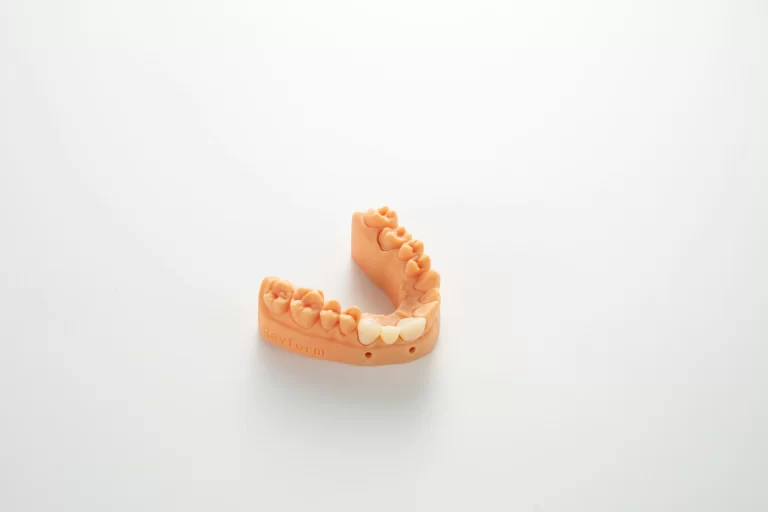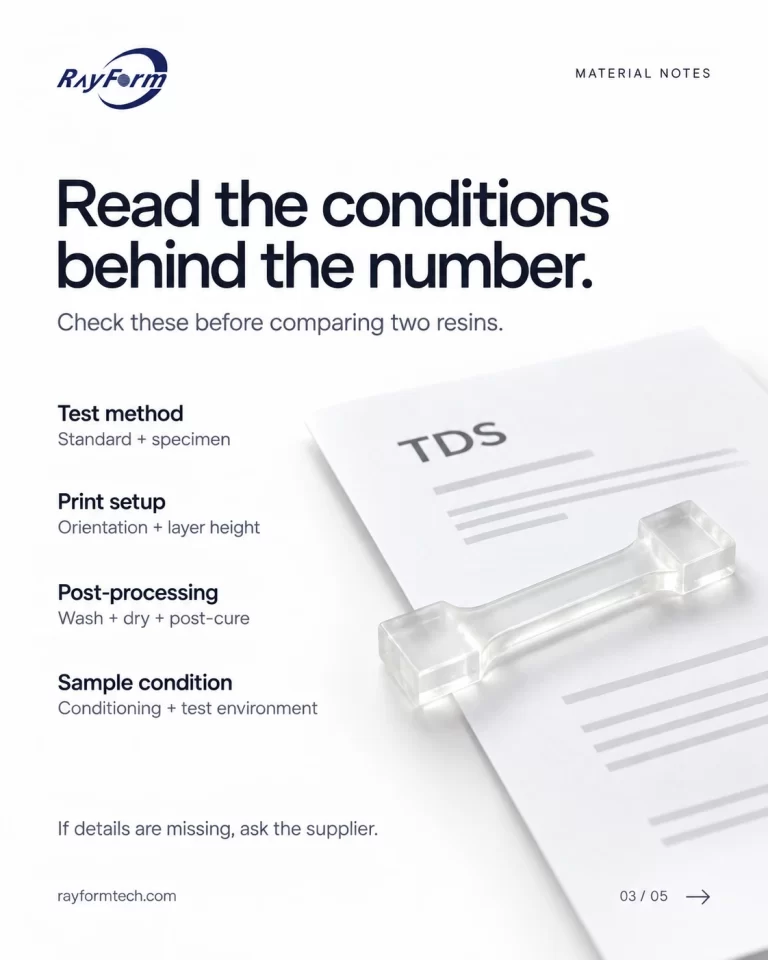

This guide walks dental labs through every stage of a digital 3D printing workflow — from intraoral scan to final delivery — covering material selection, printer setup, post-processing protocols, and quality control checkpoints to eliminate rework and stabilize daily production.
Running a dental lab today means managing an accelerating shift from analog craft to digital production. The challenge is not whether to adopt 3D printing — most labs already have — but how to build a workflow that is consistent, scalable, and reliable enough to handle daily case volume without constant troubleshooting.
Inconsistent print quality, failed post-processing, and material incompatibility remain the most common sources of rework and delivery delays. This guide walks through the full digital workflow, stage by stage, with practical guidance for each step.
Stage 01Digital Scan and File Preparation
Every digital workflow begins with a clean intraoral or model scan. The accuracy of the final printed part is directly tied to the quality of the input file. Labs working with in-house scanners should validate scanner calibration regularly — even a 20–30 µm drift in scan baseline will compound downstream at the printing stage.
Once the scan is acquired, the STL or OBJ file moves to CAD design software (such as exocad or 3Shape) for case design. Common file preparation errors that cause print failures include inverted normals, open meshes, and insufficient wall thickness. Minimum wall thickness for most dental resin applications is 0.8–1.2 mm; thinner walls are prone to delamination and distortion during curing.
Material Selection by Indication
Choosing the wrong resin for a clinical indication is one of the highest-impact errors in a digital workflow. It leads to failed fits, suboptimal mechanical properties, and unnecessary reprints. The table below maps common lab procedures to their material requirements and the key performance criteria to evaluate.
| Indication | Key Requirements | Recommended Material Type |
|---|---|---|
| Clear aligner | Dimensional stability under thermoforming heat, high accuracy | 4D Clear Aligner Resin |
| Indirect bonding trays (IBT) | Stiffness, detail reproduction for bracket transfer | IBT Resin |
| Occlusal splints | Hard: rigidity and wear resistance / Soft: flexibility and comfort | Hard or Soft Splint Resin |
| Temporary crowns & bridges | Polishability, color stability for short-to-medium wear | Temp C&B Resin |
| Permanent crowns | High flexural strength or translucency depending on case | Permanent Crown Resin (55% or 25% filler) |
| Surgical guides | Biocompatibility, dimensional accuracy, sterilization tolerance | Surgical Guide Resin |
| Implant planning models | Sub-50 µm accuracy, analog seating stability | High Precision Implant Model Resin |
| Full-arch implant prostheses | Impact resistance, multi-layer aesthetics capability | Fixed Hybrid Dentures Resin |
| Denture bases | Strength, biocompatibility, gingival color match | Denture Base Resin |
| Partial denture bases | High elasticity, tear resistant | Denture Base / Invisible Denture Base Resin |
| Thermoforming working models | Heat resistance above 120°C | High Temp Resistant Model Resin |
| Clear aligner models | Fast wash, good surface detail, low cost-per-unit | Water Washable Dental Model Resin |
| Castable patterns | Clean burnout, zero ash residue | Wax Casting Resin |
Open-system materials — formulated to run across 385 nm and 405 nm platforms — let you standardize one resin library across Phrozen, Elegoo, Creality, Anycubic and other open-format devices, instead of maintaining separate inventories per printer brand.
Print Setup and Slicing
With the correct material selected, the file moves to slicing. Print orientation has a larger effect on dimensional accuracy than most operators realize. For dental models, orienting the arch slightly off the build plate (typically 15–30°) reduces suction forces during layer separation and improves marginal detail on interproximal surfaces.
Key settings to validate before each print run:
- Layer height: 50 µm is standard for most dental resins; reduce to 25–35 µm for high-precision implant work or surgical guides.
- Exposure time: Follow the resin manufacturer’s parameter table for your specific printer model; over-exposure is the leading cause of dimensional bloat, while under-exposure causes delamination and surface roughness.
- Support strategy: Auto-generated supports are a starting point, not a final answer — manually verify that supports do not contact occlusal or incisal surfaces on crown and bridge cases.
- Build plate temperature: Some resins require a heated build plate (typically 25–35°C) for optimal adhesion and first-layer accuracy.
Labs printing across multiple printer models should maintain a parameter database — documenting tested exposure profiles per resin-per-printer combination — rather than relying on memory or re-testing each time.
Recommended Desktop Printers for Dental Labs
For labs that need a reliable open-system desktop printer to pair with their resin workflow, RayForm’s desktop printers cover three common production scenarios. All three models run on an open material system compatible with RayForm resins and materials from other brands.
| Model | Best For | Build Volume | XY Resolution | Key Feature |
|---|---|---|---|---|
| 8K LCD 3D Printer | High-volume labs, central production | 228 × 128 × 235 mm | 29.7 µm | Large build plate — print multiple full arches per run; 60 mm/h speed; 92% light uniformity |
| RF-3024D LCD Printer | Clinics, chairside / same-day delivery | 143 × 90 × 80 mm | 35 µm | Ultra-compact footprint (300 × 280 mm); ideal for surgical guides, temp crowns, and diagnostic models |
| RF-3020D LCD Printer | Labs requiring high precision and durability | 7680 × 4320 px (8K) | 29.7 µm | Sturdy metal frame; low-peeling-force release film for fast layer separation; upgraded UI |
Check model-specific documentation and applicable regulatory requirements before selecting equipment for production. Visit the Desktop 3D Printers page for product information and the printer parameter library for available resin-printer settings.
Stage 04Post-Processing
Post-processing is where many labs lose accuracy gains made during printing. The two most common errors are under-washing and over-curing.
Washing: Residual uncured resin on the surface will continue to react during post-cure, causing surface tackiness and dimensional distortion. Wash time should be sufficient to clear all surface resin but not so prolonged that the solvent begins to soften the printed part. For isopropyl alcohol (IPA) washing, 3–5 minutes is a typical range for models; 5–8 minutes for denser parts like splints or denture bases. Air-dry completely before curing — wet parts entering a UV chamber will cure unevenly.
For labs running higher volumes, centrifugal washing systems significantly reduce per-unit handling time and deliver more consistent results than manual agitation or static bath methods.
Curing: Post-curing converts residual monomer into the polymer network and determines final mechanical properties. Under-cured parts are soft, prone to warping over time, and may present biocompatibility concerns for intraoral use. Over-cured parts become brittle and prone to fracture at thin sections. Recommended cure times vary by resin type and unit output (typically measured in mW/cm²) — always follow the manufacturer’s curing protocol rather than defaulting to a fixed time.
Temperature during curing: Elevated ambient temperatures accelerate polymerization and can cause rapid volumetric shrinkage. Keeping the curing unit in a temperature-controlled environment reduces batch-to-batch variation.
Stage 05Quality Control
QC in a digital dental workflow is most efficient when checks are built into the process rather than applied only at the end.
In-process checks:
- Inspect the build plate after the first 3–5 layers (via live camera if available) to catch early delamination.
- Check first-print fit of surgical guides or implant models on their reference model before running a full batch.
- Monitor resin temperature and mixing (settled pigment in model resins causes color banding and surface inconsistency).
Final checks:
- Dimensional verification using a calibrated digital caliper or, for high-value cases, a benchtop scanner.
- Marginal integrity inspection under magnification (×10 loupe or dental microscope) for crown and bridge work.
- Surface finish check for any support-mark artifacts that will require additional polishing.
If rework exceeds 3–5% on any resin-printer combination, the root cause is almost always in one of three areas: resin parameter settings, post-processing protocol, or resin storage (exposure to ambient light or temperature fluctuation).
Stage 06Finishing and Delivery
Final finishing steps depend on the indication. Model outputs typically require only support removal and light surface cleanup. Restorations, splints, and denture bases may require polishing, staining, or glazing steps before delivery.
For orthodontic labs producing aligners, the final step before delivery is thermoforming the aligner sheet over the printed model. This makes the dimensional accuracy and heat resistance of the model resin directly critical to aligner fit — a model that distorts under thermoforming temperature will produce an aligner that does not seat correctly.
Laser marking on printed denture bases or appliances provides batch traceability without affecting the structural integrity of the part — particularly useful for multi-case production environments where manual labeling introduces error.
Frequently Asked Questions
How do I know which resin to use if my crown requires both strength and aesthetics?
For permanent crowns where both properties matter, the choice between high-filler (55%) and low-filler (25%) formulations depends on location: posterior cases prioritize strength; anterior cases prioritize aesthetics. Some labs use the two formulations in combination on the same case by indication.
Can I use the same resin across different printer brands?
Yes, if the resin is formulated for open systems. Materials engineered for 385 nm and 405 nm compatibility will run across most open-format DLP and LCD printers, provided the exposure parameters are correctly calibrated per machine. A publicly available printer parameter database simplifies this calibration process significantly.
Why do my printed models look dimensionally accurate on screen but fail the fit test?
This is almost always a resin shrinkage or slicer calibration issue. Verify that your slicer’s XY scaling is set correctly for your printer and that post-cure time is within the manufacturer’s recommended range — over-curing increases polymerization shrinkage.
What causes surface tackiness after curing?
Oxygen inhibition on the surface layer is the primary cause. Ensure the curing unit provides sufficient UV output and that the part is clean and dry before curing. Some high-filler resins require a secondary brief cure in nitrogen or under plastic film to eliminate surface tack on the final layer.
How often should I replace the FEP/nFEP release film on my printer?
This depends on print volume and resin type. A general guideline is every 1,000–1,500 cm² of printed surface area, or whenever you observe cloudiness, scratches, or a drop in first-layer adhesion that cannot be explained by resin or parameter changes. Worn film is a leading cause of delamination failures.
Is it safe to mix leftover resin back into a fresh bottle?
Only if the residual resin in the vat is uncontaminated and has been stored covered from ambient light. Partially cured particles in the vat will cause print defects. Filter the vat resin through a 190-micron paint strainer before returning it to the original bottle, and avoid mixing resins from different batches or formulations.
What is the shelf life of dental 3D printing resin?
Most dental resins have a shelf life of 12–24 months from manufacture date when stored correctly: sealed, away from direct light, at temperatures between 10°C and 25°C. Do not store resins near heat sources or in direct sunlight. Resins stored beyond shelf life may show increased viscosity, phase separation, or unpredictable curing behavior.
For printer parameter profiles, material technical data sheets, and workflow support resources, visit us (www.rayformtech.com).