Shrinkage in 3D printed dental models is caused by resin chemistry, exposure settings, print orientation, and post-curing conditions — all controllable with the right materials, validated printer profiles, and consistent lab protocols.
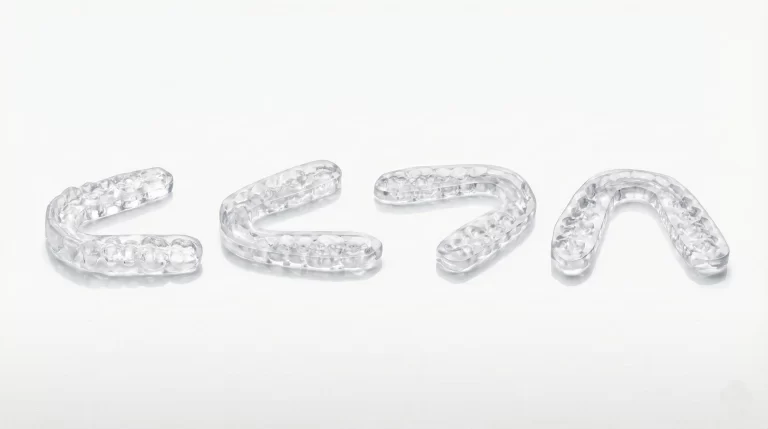
You pull a full-arch aligner model off the build plate, run it through the post-cure unit, and the aligners come back from thermoforming with a poor seat. The model looked fine. The printer ran without errors. So what went wrong?
Dimensional change is one possible cause of poor fit, alongside scanning, CAD, printing and thermoforming variables. A scan-to-STL comparison after controlled post-processing helps separate model distortion from downstream workflow issues.
The good news is that shrinkage is controllable. This article walks through the five most impactful variables and, more importantly, what you can actually do about each one.
Quick Checklist: 7 Ways to Reduce Model Shrinkage Today
Use this as a starting point for a lab SOP audit:
- Use a resin formulated for dimensional stability — not a general-purpose or prototyping resin.
- Use validated exposure profiles for your specific printer model and resin combination.
- Use an orientation validated for your printer, resin and model design; check supports and drainage where needed.
- Follow the material-specific post-cure time, temperature and equipment instructions, then verify dimensional results.
- Load the curing unit as instructed so all required surfaces receive exposure; follow any specified rotation or repositioning steps.
- Use the material-specific wash method and duration, then dry parts fully before curing.
- Document and repeat — stable parameters are only useful if they are applied consistently across operators and shifts.
Why Models Shrink in the First Place
When resin cures under UV light, the liquid molecules link into solid polymer chains — and they pack more tightly in solid form than they did as a liquid. That packing is volumetric shrinkage, and it is an inherent part of how photopolymer chemistry works.
Small dimensional changes can affect a model’s fit and downstream processing. Define acceptance limits for the intended application and measurement method rather than assuming one percentage applies to every case.
The key insight is that shrinkage is not a fixed property. It is a variable, and it responds directly to the choices made at every stage of the workflow.
The 5 Variables That Control Shrinkage — and What to Do About Each
1. Resin Formulation
The problem: Resin formulations have different curing and processing behavior. A material name or filler percentage alone does not establish the dimensional accuracy of the finished model.
What to do: Choose a model material whose intended application and processing instructions fit the workflow. For thermoforming, evaluate model dimensions after both post-curing and the actual forming cycle; heating-related distortion is a different issue from polymerization shrinkage.
For implant workflows, the stakes are even higher: analog positioning errors that originate in model shrinkage will propagate through the entire restoration.
| Application | Key Requirement | Recommended Resin Type |
|---|---|---|
| Clear aligner models | Documented thermal behavior and dimensional validation in the intended forming cycle | High Temp Resistant Model Resin |
| Clear aligner models | Accuracy, fast wash, surface detail | Water Washable Dental Model Resin |
| Implant planning models | Measured dimensional accuracy and validated analog seating for the intended workflow | High Precision Implant Model Resin |
RayForm products: The RF-ZJ-02 Water Washable Dental Model Resin, RF-CI-808 High Temp Resistant Model Resin, and RF-ZX-03 High Precision Implant Model Resin are each engineered with dimensional stability as a primary design criterion.
2. Exposure Settings
The problem: Both over-exposure and under-exposure cause dimensional problems. Over-exposure causes “cure bleed” — the cured zone extends beyond the intended boundary, creating internal stress that leads to warping as the part relaxes during post-curing. Under-exposure leaves the part incompletely cross-linked; it continues to contract as post-curing finishes the job.
What to do: Start with the profile for the exact printer and resin combination. Revalidate transferred settings even when wavelength matches, because exposure intensity and the rest of the process may differ.
Keep a record of the tested printer, resin batch, layer height, exposure and motion settings. The RayForm Printer Parameter Database provides starting profiles; confirm them with representative models on your equipment.
3. Print Orientation
The problem: Orientation changes the layer cross-section, support arrangement and drainage of a model. These factors can affect print quality and dimensions, but the preferred orientation depends on the printer, material and geometry.
What to do: Begin with the printer and material supplier’s recommended setup, then compare candidate orientations using the same file and post-processing conditions. Check critical dimensions, support marks, drainage and batch layout before standardizing the setup.
Measure critical dimensions after the complete workflow, using the same method and timing for each trial.
4. Post-Curing Temperature and Time
The problem: Post-curing requirements depend on the resin and curing equipment. A hotter or longer cycle is not automatically better, but a universal temperature ceiling is also inappropriate. Follow the specified cycle and verify both dimensions and the required material properties.
Loading, part position and shadowed surfaces can change exposure in a curing unit. Check the equipment instructions and validate the loading arrangement used in production.
What to do:
- Use the material’s specified curing equipment, time and temperature. A tack-free surface alone is not a substitute for the required post-cure process.
- Use rotation or repositioning when the curing-equipment instructions call for it; keep the loading arrangement consistent between batches.
- Keep the recommended cure cycle consistent. If a different cycle is proposed, evaluate dimensions and material performance before adopting it.
5. Washing Protocol
The problem: Washing method, duration and drying can affect the final model. Prolonged exposure to a cleaning liquid may change material performance; the approved cleaning method and duration depend on the resin.
What to do:
- Follow the resin supplier’s wash method and duration; keep bath condition and loading consistent.
- Air-dry parts completely before placing them in the curing unit. Wet surfaces cure unevenly.
- For a water-washable material such as RF-ZJ-02, follow its water-cleaning instructions. Water washing changes the cleaning workflow; it does not by itself prove lower shrinkage or eliminate dimensional variation.
Frequently Asked Questions
My aligner models look dimensionally correct but aligners still don’t fit well. Is shrinkage the cause?
Not necessarily. Model distortion, CAD, thermoforming and trimming can all contribute to poor fit. Scan the model after controlled post-processing and compare it with the source STL using an agreed measurement method and application-specific acceptance criteria; do not diagnose the cause from a universal 50 µm cutoff.
How much does print orientation actually affect shrinkage? Is it worth the extra support material?
Orientation can affect the result, but no universal improvement percentage applies to every printer, resin and model. Compare candidate setups with the same geometry and post-processing, then assess dimensional results, support removal, print time and parts per build.
Can I use the same post-cure settings for all my dental resins?
No. Use the instructions for the specific resin and curing equipment. Keep washing, drying, loading and curing consistent, and verify the complete workflow before carrying settings over to another material.
My models come out accurate right after printing but shrink overnight. What causes that?
Changes over time can have several causes, including curing, cleaning, residual stress and storage conditions. Measure at defined intervals under consistent conditions, review the complete workflow and follow the material supplier’s guidance. Do not increase exposure solely because a model changes overnight.
Does ambient temperature in the lab affect shrinkage?
Yes. Temperature can affect resin handling and the printing process. Use the operating conditions specified for the material and printer, record the actual conditions and investigate deviations before changing exposure. A single 18–28°C range should not be applied to every resin.
Does water-washable resin shrink less than IPA-washed resin?
Not necessarily. Water-washable resin provides a different cleaning workflow, but final dimensions still depend on the formulation, printing, washing, drying and curing conditions. Compare finished models under a controlled workflow rather than inferring shrinkage from the cleaning liquid alone.
For starting settings, use the Printer Parameter Database. For material specifications and handling instructions, use the RayForm Support Center and the current TDS linked from each product page.