
Why High Temp Resistant Model Resin Is Essential for Clear Aligner Thermoforming
The accuracy of a clear aligner is not only determined by digital treatment planning or printer resolution — it also depends on the stability of the printed model used during thermoforming.
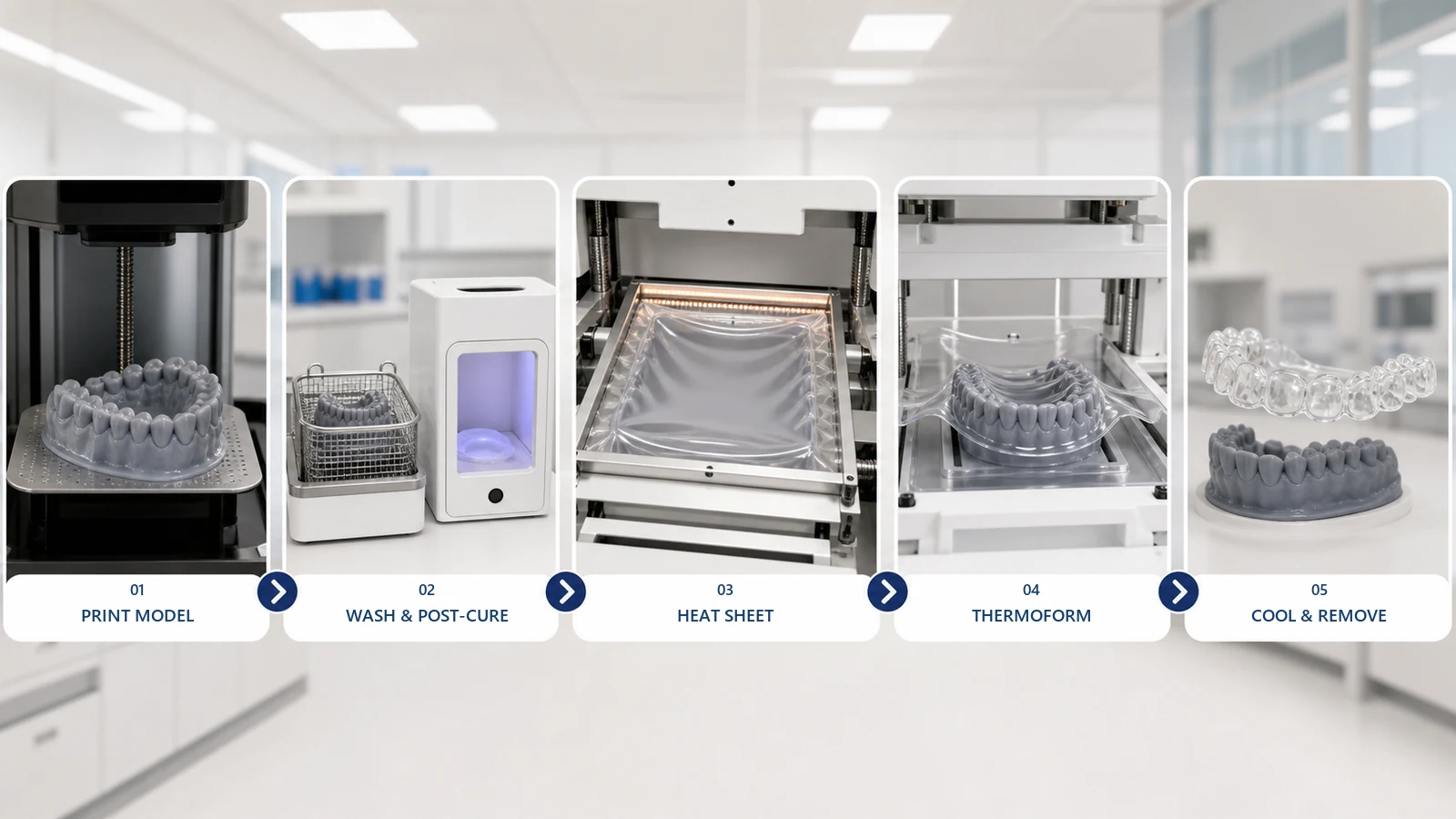
After each treatment stage is designed digitally, a physical dental model is printed, washed, post-cured, and transferred to the thermoforming process. A heated clear aligner sheet is then formed over the model using vacuum or pressure to reproduce the planned tooth geometry.
During this critical step, the printed model must withstand both elevated temperatures and forming pressure. If the resin model softens, deforms, or loses surface details, these changes can be transferred directly to the final aligner, affecting fit and treatment accuracy.
A high-temperature dental model resin is specifically designed to maintain dimensional stability throughout thermoforming, helping laboratories achieve more consistent aligner quality while reducing remakes, material waste, and manual adjustments.
Why Thermoforming Requires a Heat-Resistant Model
A standard dental model is often used for evaluation, presentation, or restorative fitting. It may never be exposed to high heat or forming pressure.
A clear aligner model performs a more demanding function. It acts as the forming tool for the final appliance.
During thermoforming:
- The aligner sheet is heated until it becomes soft.
- The softened sheet is positioned over the printed model.
- Vacuum or pressure pulls the sheet closely around the teeth.
- The sheet and model remain in position while cooling.
- The formed appliance is removed, trimmed, and polished.
The model must maintain the planned:
- Arch width
- Tooth positions
- Occlusal anatomy
- Gingival margins
- Attachment geometry
- Model base
Even a small change in the model can affect how the aligner seats on the patient’s teeth.
Problems Caused by Ordinary Model Resin
A general-purpose model resin may produce accurate-looking models after printing, but its performance can change when exposed to thermoforming heat and pressure. If the model deforms during forming, these errors can be transferred directly to the final aligner.
1. Model Softening and Deformation
Insufficient heat resistance may cause the model to soften during thermoforming. Even small changes around cusps, attachments, or thin tooth structures can affect the accuracy of the formed aligner.
2. Arch or Base Warpage
Heat and forming pressure can change the model geometry, resulting in uneven aligner seating, inconsistent fit, or additional adjustments.
3. Loss of Surface Detail
If the model surface is not hard enough, fine anatomical features and attachment details may become less defined during forming, affecting aligner adaptation.
4. Cracking or Chipping
High hardness alone is not enough. The resin must also provide sufficient toughness to prevent damage during handling, support removal, and aligner removal.
5. Poor Aligner Fit and Increased Rework
Any deformation in the printed model can be transferred to the final appliance, causing poor seating, visible gaps, and increased remakes.
How to Choose a Model Resin for Clear Aligner Thermoforming
Heat resistance is an important factor, but it should not be the only consideration when selecting a thermoforming model resin.
A reliable resin should provide a balance of thermal stability, accuracy, mechanical performance, and workflow compatibility.
1. Dimensional Stability
The resin should maintain the designed arch shape and tooth geometry throughout printing, washing, post-curing, and thermoforming.
Low warpage is especially important for full-arch models, where even small dimensional changes can affect aligner fit.
2. Heat Resistance
The material should maintain its shape when exposed to the heat and pressure of the thermoforming process.
Laboratories should evaluate resin performance together with their actual sheet material, thermoforming machine, and production parameters.
3. Detail Reproduction and Surface Strength
The resin should preserve important anatomical features such as tooth edges, cusps, margins, attachments.
At the same time, the material should provide enough toughness to prevent chipping or cracking during handling.
4. Printing and Workflow Compatibility
Before adopting a resin, laboratories should confirm compatibility with:
- Printer technology (LCD or DLP)
- Wavelength (385 nm or 405 nm)
- Recommended layer thickness
- Washing and curing workflow
Validated parameters help improve consistency and reduce trial-and-error.
5. Production Repeatability
For high-volume aligner production, a suitable resin should deliver consistent results across different batches, build-platform positions, and treatment stages.
A successful workflow depends not only on achieving one accurate model, but on producing predictable results repeatedly.
How to Build a Reliable Thermoforming Workflow
A high-temperature dental model resin provides the foundation for stable thermoforming, but consistent results also depend on proper printing, post-processing, and forming procedures.
From model preparation to final appliance production, each step can influence the accuracy of the finished aligner.
1. Before Thermoforming: Preparing Stable Dental Models
Use Resin-Specific Printing Parameters
Each resin requires optimized exposure settings for the specific printer platform. Using incorrect parameters may affect layer strength, surface detail, and dimensional accuracy.
Laboratories should start with validated settings from the resin manufacturer and fine-tune them according to their own printer and production environment.
Maintain a Stable Printing Environment
Consistent printing conditions help improve batch-to-batch repeatability.
Before printing:
- Ensure the resin is properly mixed
- Check that the vat and build platform are clean
- Maintain stable temperature conditions
- Confirm the printer is operating normally
Environmental changes can affect resin viscosity and printing performance.
Optimize Model Orientation and Design
Model orientation should balance:
- Accuracy
- Printing efficiency
- Support requirements
- Surface quality
The digital model design should also provide sufficient structural stability. Factors such as base thickness, wall thickness, thin teeth, and unsupported areas should be considered before production.
A heat-resistant resin cannot fully compensate for an unstable model design.
Control Washing and Post-Curing
Proper post-processing is essential for achieving the intended mechanical properties of the resin.
Models should be:
- Completely cleaned to remove residual resin
- Fully dried before curing
- Post-cured according to recommended parameters
Under-curing may reduce stability during thermoforming, while excessive curing may increase brittleness or dimensional changes.
2. During Thermoforming: Controlling Heat and Pressure
Once the model enters the thermoforming process, heating parameters and forming conditions directly affect the final result.
Use the Correct Heating Parameters
The aligner sheet should be heated according to the recommended forming range.
Overheating may:
- Increase sheet thinning
- Increase thermal stress on the model
- Increase the risk of deformation
Insufficient heating may prevent the sheet from accurately reproducing margins and attachments.
Ensure Stable Model Positioning
The model should be positioned securely and evenly inside the thermoforming machine.
Incorrect placement may cause uneven stretching, inconsistent pressure distribution, and reduced aligner accuracy.
Control Forming Pressure
Adequate pressure is required to reproduce model details, but excessive pressure may damage thin features or increase stress on the model.
Laboratories should use validated settings based on the sheet material, model design, and thermoforming equipment.
Allow Sufficient Cooling Before Removal
The formed aligner should cool sufficiently before removal.
Removing the appliance too early may affect the final shape and place unnecessary stress on the printed model.
3. Final Quality Inspection
Quality control should evaluate both the printed model and the formed aligner.
Check for:
- Arch distortion
- Base warpage
- Damaged teeth or attachments
- Surface marks
- Poor aligner seating
- Unexpected gaps
When recurring fit issues occur, comparing the model before and after thermoforming can help identify whether the problem comes from printing, post-processing, or forming parameters.
How Clear Aligner Sheets Affect Thermoforming Results
A successful clear aligner workflow depends on more than the stability of the printed model. The aligner sheet, model resin, and thermoforming parameters must work together to achieve consistent results.
During thermoforming, the heated sheet needs to accurately reproduce the details of the printed model while maintaining suitable thickness and mechanical properties after cooling. Therefore, selecting the right sheet material is an important part of the production workflow.
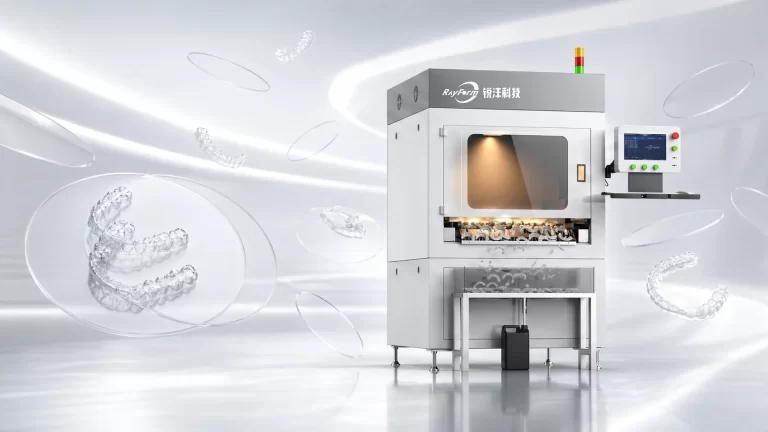
RayForm provides clear aligner sheet solutions including FLEX, DURA, and CLEAR series. FLEX and DURA use multilayer PETG and TPU structures to balance flexibility and strength, while CLEAR uses a PETG structure for reliable forming performance. Available thickness options include 0.50 mm, 0.75 mm, and 1.00 mm.
Three factors mainly influence thermoforming results:
Sheet Thickness: Thickness affects flexibility, rigidity, and force delivery. Thicker sheets may require more controlled forming conditions and place higher mechanical demands on the printed model.
Heating Temperature: Each sheet has an appropriate forming temperature range. Incorrect heating parameters may cause incomplete adaptation, uneven thickness, reduced detail reproduction, or additional thermal stress on the model.
Forming Pressure: Proper pressure ensures close adaptation between the sheet and model. Excessive pressure may increase material stretching and place additional stress on thin model areas.
For consistent aligner production, laboratories should validate the combination of sheet material, printed model resin, and thermoforming parameters as one complete workflow.
RayForm High Temp Resistant Model Resin for Clear Aligner Thermoforming
Review the RF-CI-808 high-temperature dental model resin product page and its English TDS (V1.0a) for material data and reference printer settings before qualifying the material on your equipment.
For laboratories producing clear aligners and retainers, the printed model is a critical part of the thermoforming process. RayForm High Temp Resistant Model Resin is developed specifically for dental models that require stable performance under heat and forming pressure.
The RF-CI-808 TDS describes high forming precision, surface hardness and detail reproduction for high-temperature dental models. Dimensional stability, including warpage and detail retention during thermoforming, should be evaluated using your actual printing, post-curing and forming workflow.
The RF-CI-808 TDS lists LCD and DLP processing methods and provides reference print settings for selected machines. Confirm wavelength compatibility and validate the printing and post-processing settings for your actual equipment before use.
RayForm High Temp Resistant Model Resin is intended for producing dental models and thermoforming tools. It is not an intraoral material and should not be used as the patient-contact aligner material.
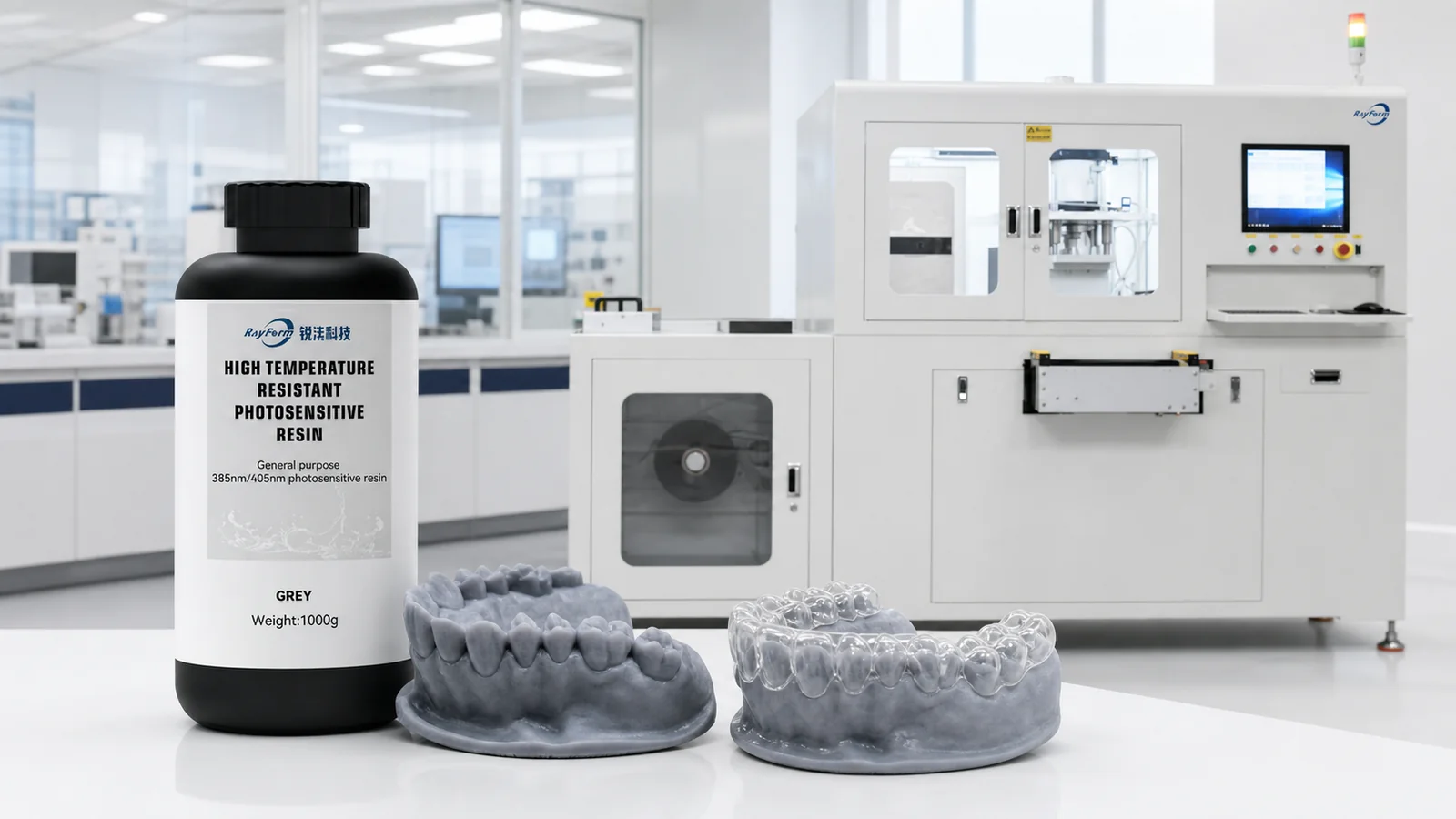
Together with aligner sheets and digital production solutions, RayForm supports laboratories in building a more consistent clear aligner manufacturing workflow.
A Simple Validation Checklist
Before introducing a new thermoforming model resin, print several representative models and complete the following checks:
- Measure critical arch dimensions after post-curing.
- Confirm that attachment and margin details are clear.
- Thermoform the actual sheet used in production.
- Allow the model and appliance to cool.
- Inspect the model for warpage or softened details.
- Check the aligner’s seating on the reference geometry.
- Repeat the test in different build-platform positions.
- Record the approved printing, washing, curing, heating, and forming settings.
The validation should use the laboratory’s actual printer, curing unit, aligner sheet, and thermoforming machine.
Frequently Asked Questions
Can an ordinary dental model resin be used for thermoforming?
It should only be used when the material has been validated under the laboratory’s actual thermoforming conditions.
A resin designed only for diagnostic or presentation models can soften or warp when exposed to a heated sheet and forming pressure.
Is the hardest model resin always the best choice?
No. The model needs enough surface hardness to preserve details, but it also requires sufficient toughness to resist cracking and chipping.
Heat resistance, dimensional stability, hardness, and toughness should be evaluated together.
Why does the model deform even when heat-resistant resin is used?
Possible causes include:
- Incomplete post-curing
- Excessive sheet heating
- Thin model walls
- An unstable model base
- Excessive forming pressure
- Insufficient cooling
- Incorrect printer exposure
- Forming the model while it is still warm
The complete process should be checked before changing the resin.
How can a lab check whether deformation occurred?
Measure several critical points before and after thermoforming, including arch width, model-base flatness, tooth height, and attachment dimensions.
The laboratory can also compare the finished aligner with the original digital design or reference model.
Does aligner sheet thickness affect the printed model?
Yes. Different thicknesses require different heating and forming conditions. Thicker sheets can place greater force on the model, while overheated sheets can expose it to more thermal stress.
The resin and sheet should be validated as one production combination.
Conclusion
High-temperature dental model resin is essential for clear aligner thermoforming because the printed model must maintain its geometry while exposed to heat and pressure.
An ordinary model resin can soften, warp, lose attachment detail, or crack during forming. These changes can be transferred to the aligner, resulting in poor seating, inconsistent fit, and additional rework.
A suitable thermoforming model resin should provide:
- Heat resistance
- Dimensional stability
- Low warpage
- Surface hardness
- Sufficient toughness
- Accurate detail reproduction
- Printer compatibility
- Repeatable post-curing performance
Reliable results also depend on correct exposure, washing, drying, curing, model design, sheet thickness, heating temperature, forming pressure, and cooling.
RayForm High Temp Resistant Model Resin and clear aligner sheet materials provide laboratories with a coordinated material solution for clear aligner thermoforming. Before volume production, each laboratory should validate the complete workflow using its own printing and forming equipment.