RayForm · Aligner manufacturing
Direct-Print Aligners vs Thermoformed AlignersCost, Accuracy & Workflow Compared
Direct printing and thermoforming both turn digital dental data into clear aligners. For dental labs, the useful comparison is the cost and quality of the finished appliance—and the process required to produce it consistently.
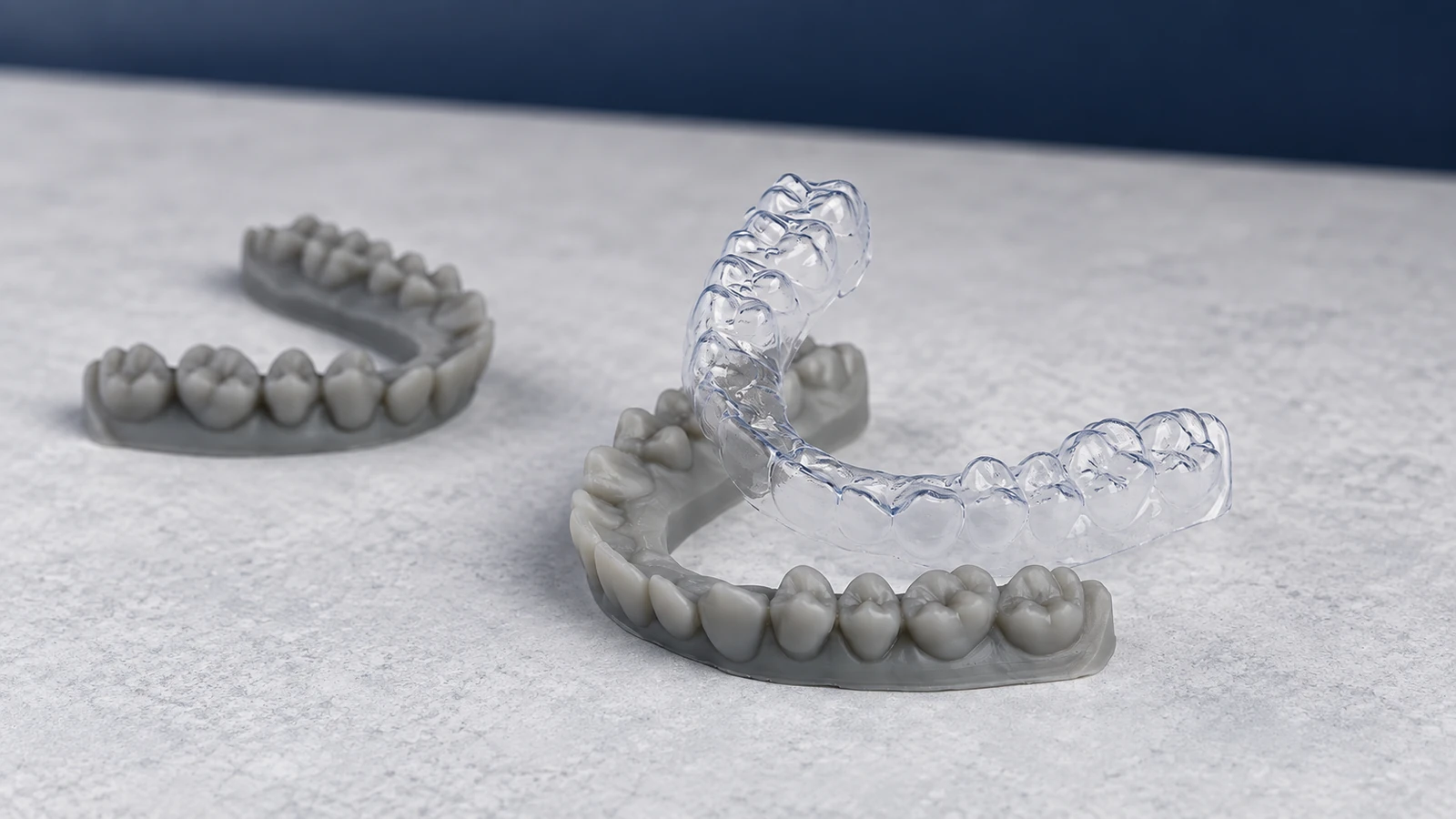
The key difference: thermoforming shapes a heated sheet over a physical dental model. Direct printing builds the appliance itself from an application-specific resin, removing the forming model and sheet-forming stage. Both routes still need controlled processing and quality inspection.
How do the two workflows compare?
Both begin with scan data and treatment planning. They differ in how the planned geometry becomes a physical appliance, and in the work that follows printing.
Thermoformed aligners
- Digital preparation. Obtain scan data, complete treatment planning and generate dental model files for the required stages.
- Model production. Print the physical models and complete the model material’s required cleaning, curing and preparation.
- Thermoforming. Heat the selected sheet and form it over the model using the specified pressure or vacuum process.
- Finishing. Allow the formed material to cool as required, separate the appliance, trim the margins and finish the edges.
- Inspection. Check identification, geometry, surface condition and fit against the lab’s acceptance requirements.
Direct-print aligners
- Digital preparation. Obtain scan data, complete treatment planning and design printable aligner geometry.
- Print preparation. Set orientation, supports where required, and the confirmed printer–resin parameters.
- Appliance printing. Print the aligners directly, without producing physical forming models.
- Post-processing. Remove residual resin, clean, dry, remove supports and cure in the sequence specified for the material.
- Finishing and inspection. Finish contact points or edges where needed and assess the completed appliances.
Direct printing removes physical model production and forming, but it still requires digital design, post-processing and quality control. Thermoforming adds model handling and sheet forming while allowing labs to use established sheet-based procedures.
Cost comparison: measure one accepted aligner
Compare material, labor and equipment costs using the same output unit: one accepted single-arch aligner. Comparing resin price per liter with sheet price per piece will not show the full production cost.
| Cost factor | Thermoformed aligners | Direct-print aligners |
|---|---|---|
| Materials | Model resin, thermoforming sheets, model-processing consumables and forming scrap. | Application-specific resin, support and handling losses, cleaning materials and other processing consumables. |
| Labor | Model preparation, forming, separation, trimming, polishing and inspection. | Print preparation, cleaning, support removal, curing, finishing and inspection. |
| Equipment | Model printer, model-processing equipment, thermoformer and trimming equipment. | Compatible printer and the cleaning, curing and finishing equipment required by the resin workflow. |
| Additional costs | Software, maintenance, energy, training, rejected models and rejected appliances. | Software, maintenance, energy, training, process qualification and rejected appliances. |
Direct printing may lower costs when eliminating model production and forming saves substantial labor and materials. Those savings must offset the resin price, post-processing requirements and any new equipment or software. Thermoforming may remain economical when a lab already operates a reliable line with available capacity.
Include rejected parts and rework in the batch total, and allocate equipment costs consistently. Use a pilot batch to measure actual consumption and operator time before estimating savings or investment payback.
Accuracy and fit depend on the complete process
Accuracy describes how closely the finished appliance matches its intended geometry; fit describes how it seats and adapts to the reference dentition. Neither printer resolution nor sheet thickness alone establishes these outcomes.
| Quality aspect | Thermoformed aligners | Direct-print aligners |
|---|---|---|
| Dimensional accuracy | Depends on the physical model and the transfer of its geometry during forming. | Depends on the printed geometry and changes introduced during subsequent processing. |
| Thickness | The starting sheet has a nominal gauge; forming can produce different local thicknesses. | Thickness is specified in the design, but the finished wall must be checked against that design. |
| Dimensional stability | Evaluate after cooling and over the relevant storage or conditioning period. | Evaluate after prescribed curing and over the relevant storage or conditioning period. |
| Fit | Assess seating, local gaps, margins and adaptation after separation and trimming. | Assess seating, local gaps, margins and support-contact areas after all processing is complete. |
Thermoforming requires consistent model preparation, heating, forming and cooling. Direct printing requires control of orientation, support placement, exposure and post-processing. These variables create different routes to dimensional variation, so neither method should be described as universally more accurate.
Published measurements support checking actual wall thickness. A 2024 prospective study found increased thickness in the directly printed specimens and reduced thickness in the thermoformed specimens relative to their respective design or starting-sheet values. The finding relates to the tested materials and measurement locations; it is not a correction factor for every aligner. [1]
Likewise, a 2026 laboratory comparison found higher trueness and precision for its direct-print groups, but artificial-saliva aging reduced both measures in the printed and thermoformed groups. The authors called for clinical validation. This supports comparing specific workflows and conditioning methods, rather than treating a manufacturing method as a guarantee. [2]
Compare completed samples using consistent measurement methods and defined acceptance criteria. Assess stability under conditions relevant to the intended application; a measurement immediately after manufacture does not establish long-term behavior. Manufacturing accuracy also should not be presented as proof of clinical treatment effectiveness.
Production efficiency: follow the bottleneck
Direct printing can reduce transfers between workstations by removing physical model production and thermoforming. Several appliances may be arranged in one build, depending on the machine, geometry and confirmed setup. The resulting efficiency depends on how quickly the lab can also clean, finish, cure and inspect those parts.
Thermoforming can support efficient batch production when model printing, forming and finishing are coordinated. Automation may reduce repetitive handling and trimming work. Compare an established line with a realistic direct-print setup, including the level of automation already in use.
- Hands-on time: measure operator minutes per accepted appliance across all stages.
- Turnaround time: include printing, cooling or curing, waiting between stations and inspection.
- Daily output: count finished, accepted appliances rather than printed parts alone.
- Production bottlenecks: identify whether printing, forming, post-processing or inspection limits capacity.
- Batch utilization: compare full and partial loads, particularly for urgent or low-volume orders.
Fewer manufacturing stages can be an advantage, but actual delivery performance is determined by the slowest stage and the consistency of the complete line.
Equipment requirements
Both routes require digital dental data, planning software, production tracking and inspection tools. Their material and manufacturing equipment requirements differ.
| Requirement | Thermoforming | Direct printing |
|---|---|---|
| Design output | Printable dental models. | Printable aligner geometry with the required design features. |
| Main materials | Suitable dental model resin and application-appropriate thermoforming sheets. | Resin documented for the intended appliance and processing workflow. |
| Printer | A dental model printer with suitable capacity and dimensional performance. | A printer confirmed for the selected aligner resin and workflow. |
| Processing | Model cleaning and curing equipment, a thermoformer, and trimming and polishing tools. | Material-specific cleaning, drying and curing equipment, plus support-removal and finishing tools. |
| Expansion | Additional model capacity, forming capacity or finishing automation. | Additional compatible printing capacity and matched post-processing capacity. |
RayForm materials and equipment for the two routes
Match each product to the production stage you want to improve. Materials, equipment and process support need to be assessed together; a resin, sheet or printer specification alone does not establish the performance of a complete line.
Thermoforming sheets: FLEX, DURA and CLEAR
RayForm’s clear aligner and retainer sheet range includes FLEX and DURA in multi-layer PETG + TPU construction, and CLEAR in single-layer PETG. The current product information lists FLEX for attachment templates and aligners, DURA for aligners and retainers, and CLEAR for retainers and templates. Confirm the intended application when selecting a series.
All three series are listed in 0.50, 0.75 and 1.00 mm thicknesses, with 125 × 125 mm square and Ø120 or Ø125 mm round formats. Evaluate the selected material and gauge in your own forming and finishing process.
Dental model resins
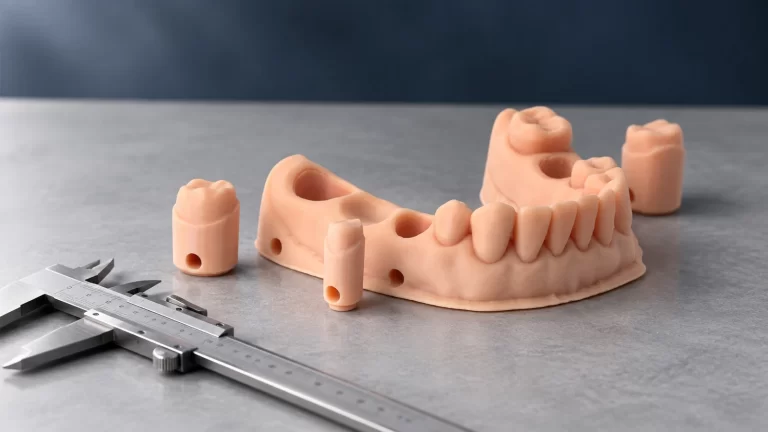
RF-ZX-03 High Precision Implant Model Resin is developed for dental model production; its TDS includes orthodontic pressure-forming working models among its applications. RF-CI-808 High-Temperature Dental Model Resin is specifically described for models used with hot-pressing molding equipment.
RF-CI-808 lists 83–87 Shore D hardness and a heat deflection temperature of 68°C at 0.45 MPa. HDT is a test result under a specified load, not a universal maximum operating temperature. Validate the complete heating, pressure and cooling cycle. Both resins describe LCD/DLP processing; confirm the exact printer and material setup.
Industrial DLP printing capacity
RayForm’s RF-4030, RF-4050 and RF-8800 industrial DLP platforms use top-down 405 nm DLP processing. RF-4030 has one 4K projection engine and a 384 × 216 mm build area. RF-4050 has two 4K engines and a 384 × 432 mm area, with automatic resin replenishment and multi-device control. RF-8800 has four 4K engines and a 768 × 432 mm area, with automatic resin replenishment and support for continuous production.
These configurations provide different options for model-production capacity. Select a platform using the intended model layout, qualified material and downstream processing capacity; build area alone does not determine accepted daily output.
Thermoforming and finishing automation
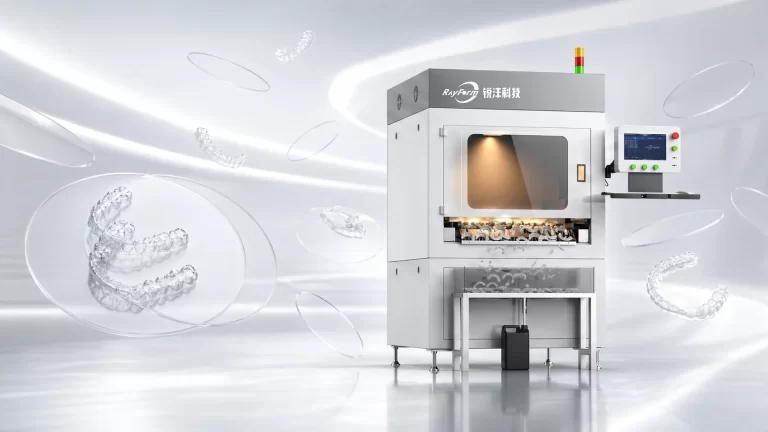
The RayForm automated post-processing lineup includes the RFADM-03 centrifugal model-cleaning system, automatic roll-feed thermoforming, vision-guided laser marking and robotic trimming. The thermoforming system supports dual-mold forming. Published equipment specifications list laser marking below 2 seconds per aligner, and automatic trimming at 25 seconds or less with gingival-margin accuracy below 0.3 mm.
A 3-in-1 platform combines forming, marking and trimming for a more compact arrangement. Treat listed machine cycle times as equipment specifications and confirm the sustained output of the complete line with your own cases.
RF-MII-D200: direct-print material evaluation
The RF-MII-D200 4D Direct Aligner Resin page describes a clear LCD/DLP resin with transparency, fatigue resistance, shape memory and toughness. Its TDS lists 80–82 Shore D hardness, 36–38 MPa tensile strength, 70–80% elongation at break, 30–40 MPa flexural strength and 1000–1200 MPa flexural modulus. These are reference material values, not proof of finished-appliance performance.
For technical evaluation, focus on the exact printer settings, post-processing sequence, finished-wall accuracy and repeatability of the complete resin–printer process. RayForm’s Printer Parameter Database provides starting settings for listed combinations. Confirm these on your own machine, geometry, environment and post-processing setup; a starting profile does not establish clinical suitability.
A lab with a stable thermoforming line can assess sheets, model resins, model-printing capacity and forming or finishing automation. A lab exploring direct printing should first resolve material documentation, then evaluate the complete process. Keep separate SOPs and quality criteria when comparing the two routes.
What should dental labs consider?
- Existing investment: identify which printers, forming machines, software and finishing stations can remain useful.
- Production volume: assess normal and peak demand, batch size and the need to handle urgent jobs.
- Material requirements: confirm intended use, relevant documentation and compatibility with the full manufacturing process.
- Quality targets: define requirements for dimensions, stability, fit, surface condition and repeatability.
- Staff capabilities: compare current forming and finishing skills with the design and processing skills needed for direct printing.
- Total cost: include labor, consumables, rejected parts, software, equipment and maintenance.
- Supplier support: check the availability of material instructions, equipment guidance, parameter support and troubleshooting.
A lab may retain thermoforming while evaluating direct printing for an appropriately documented workflow. Running both methods can provide flexibility, provided each has controlled procedures and quality criteria. Use repeated pilot batches to compare performance before changing production.
Direct-print vs thermoformed: quick comparison
| Factor | Direct-print aligners | Thermoformed aligners |
|---|---|---|
| Manufacturing principle | Build the appliance directly from resin. | Form a sheet over a physical model. |
| Main advantage | Removes model production and forming; enables thickness to be specified in the design. | Uses established sheet materials and familiar forming workflows. |
| Material cost structure | Appliance resin, support losses and processing consumables. | Model material, sheets and processing consumables. |
| Labor focus | Print preparation and appliance post-processing. | Model preparation, forming and finishing. |
| Accuracy and fit | Depend on design, printing and the complete post-processing chain. | Depend on model quality, forming, cooling and finishing. |
| Efficiency opportunity | Fewer manufacturing stages and less model handling. | Coordinated batch production and forming or finishing automation. |
| Equipment consideration | Confirm resin, printer, software and processing compatibility. | Balance model printing, forming and trimming capacity. |
| When to evaluate | When reducing model-related work or adding design flexibility is a priority, with a suitably documented material workflow. | When established material choices and existing forming capability meet requirements. |
Frequently asked questions
Are direct-print aligners always cheaper than thermoformed aligners?
No. Removing model production and forming may reduce some costs, but resin, processing, software, rejected parts and equipment can offset the saving. Compare cost per accepted aligner using your own production data.
Are direct-print aligners more accurate?
There is no universal ranking. Compare the final appliances produced by specific material–equipment workflows, using the same measurement method and clearly defined acceptance criteria. Published comparisons apply to the materials and conditions tested.
Does a 0.75 mm sheet produce a 0.75 mm aligner everywhere?
Do not assume it does. Sheet gauge describes the material before forming. Measure the finished appliance in the regions relevant to your specification.
Does direct printing eliminate trimming and finishing?
It removes the sheet-forming stage, but finishing may still include support removal, surface work and edge inspection. Include those tasks in your labor estimate.
Can a printer used for dental models also print aligners?
Only after the exact material, printer, software and post-processing combination has been assessed for the intended use. A successful model print or a brand-level compatibility claim is insufficient.
What should we request before evaluating a material?
Request current intended-use information, technical and safety documents, processing instructions, relevant test evidence, and documentation for your target market. Resolve inconsistent statements before patient use.
Choose the workflow your lab can control
Direct printing offers a shorter route from appliance design to production by removing physical forming models and thermoforming. Its benefits depend on suitable materials, compatible equipment and controlled post-processing.
Thermoforming offers established sheet-based production, familiar procedures and opportunities to reuse existing equipment. Its additional stages can still deliver efficient output when model production, forming and finishing are well coordinated.
The appropriate choice depends on your lab’s quality requirements, production volume, skills and total cost per accepted aligner. Compare complete workflows using your own samples and production data.
Discuss your manufacturing workflow with RayForm. Share your current equipment, monthly output and target application so the material and equipment options can be assessed together.
References
- Evaluation of thickness of 3D printed versus thermoformed aligners: A prospective in vivo ageing experiment. Orthodontics & Craniofacial Research, 2024. DOI: 10.1111/ocr.12822.
- Trueness and precision of direct-printed and thermoformed clear aligners after artificial saliva exposure: A comparative in vitro study. American Journal of Orthodontics and Dentofacial Orthopedics, 2026;169(5):640–653. DOI: 10.1016/j.ajodo.2025.11.021.
RayForm product specifications were checked against the linked official product pages and the RF-ZX-03, RF-CI-808 and RF-MII-D200 technical data sheets on September 23, 2026. Confirm current documentation for your selected product and workflow.